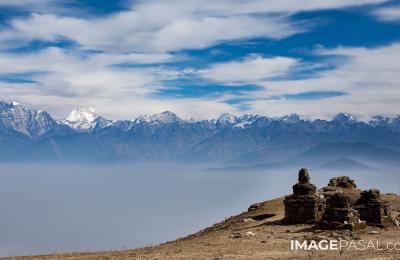
The best camera is the one you have with you, and for most people that’s a phone. Modern smartphones can produce photos sharp and clean enough to print, publish and sell, if you know how to use them. These tips will help you get more from your phone camera, whether you’re in a Kathmandu alley or on a Himalayan trail.
1. Clean Your Lens
Phone lenses pick up fingerprints and dust from pockets. A quick wipe with a soft cloth is the single easiest way to get sharper, clearer photos.
2. Use the Main Camera
Most phones have several lenses. The main (1x) camera has the biggest sensor and best quality. Use the ultra-wide for big scenes and the telephoto when it’s a true optical lens, but avoid digital zoom beyond that. Walk closer instead.
3. Tap to Focus, Slide to Expose
Tap your subject to focus, then slide the brightness control down a little. Phones often overexpose bright skies and white snow; slightly darker photos keep more detail and are easy to brighten later.
4. Turn On the Grid
Enable the 3×3 grid in camera settings. Use it to keep horizons straight and place your subject on a third rather than dead centre.
5. Find Good Light
Phone sensors are small, so light matters even more. Shoot early morning and late afternoon (see golden hour in Nepal), put people in open shade or near a window, and avoid harsh midday light on faces.
6. Use Night Mode Properly
Night mode combines several frames over a few seconds. Hold the phone very still, or rest it on a wall or railing, until it finishes. It works well for lit temples, Tihar lamps and city streets. Our night festival photography guide has more tips.
7. Shoot RAW or Pro Mode
Many phones offer RAW (DNG) capture or a Pro mode with manual ISO, shutter and focus. RAW keeps far more detail for editing. Learn why in RAW vs JPEG.
8. Portrait Mode, Used Carefully
Portrait mode blurs the background, but it can cut around hair, glasses and hands badly. Check the edges, and lower the blur strength for a more natural look.
9. Turn Off Beauty Filters and Heavy HDR
Skin smoothing and strong HDR make photos look artificial. For stock and print, buyers want natural colour and texture.
10. Edit Lightly
Free apps such as Snapseed and Lightroom Mobile let you straighten, crop and adjust exposure, contrast and colour. Keep edits subtle and always export at full resolution.
11. Steady Your Shot
Hold the phone with two hands, elbows tucked in, and press the volume button to shoot. A small phone tripod opens up long exposures and sharp night shots.
12. Back Up Your Photos
Phones get lost and broken, especially while travelling. Turn on cloud backup, or copy your photos to a computer regularly.
Can You Sell Phone Photos?
Yes. What matters is that the photo is sharp, well exposed, high resolution and something buyers need. Many great everyday, food and travel photos are taken on phones. Register on Image Pasal and upload your best ones, and check what sells for ideas.
Frequently Asked Questions
Which phone camera setting gives the best quality?
The main 1x lens at full resolution, in good light, with RAW turned on if your phone offers it.
Should I use the phone’s zoom?
Only up to the optical zoom of your telephoto lens. Beyond that, quality drops quickly.
Is a phone good enough for landscape photos?
In good light, yes. In low light or for big prints, a dedicated camera still has the edge.