Your camera can save photos as JPEG, RAW, or both. JPEG is small and ready to share. RAW keeps everything the sensor recorded, so you can fix exposure and colour later. If you want to edit your photos, print them large or sell them as stock, shooting RAW is one of the easiest upgrades you can make.
What Is a JPEG?
A JPEG is a finished image. The camera applies sharpening, colour, contrast and noise reduction, then compresses the file and throws away data it thinks you won’t need. The result looks good straight away and is easy to share.
What Is a RAW File?
A RAW file (.CR3 for Canon, .NEF for Nikon, .ARW for Sony, .RAF for Fujifilm, .DNG on many phones) is the unprocessed data from the sensor. It looks flat at first, but it holds far more information, which you shape yourself in software like Lightroom, Capture One, darktable or Snapseed.
RAW vs JPEG at a Glance
| RAW | JPEG | |
|---|---|---|
| Colour depth | 12–14 bit (thousands of tones per colour) | 8 bit (256 tones per colour) |
| Fixing exposure | Recover 2–3 stops of shadows or highlights | Limited before banding and noise appear |
| White balance | Change freely after the shot | Baked in |
| File size | Large (about 20–60 MB) | Small (about 5–15 MB) |
| Ready to share | No, must be edited and exported | Yes |
| Burst shooting | Fills the buffer faster | Longer bursts |
When RAW Makes the Biggest Difference
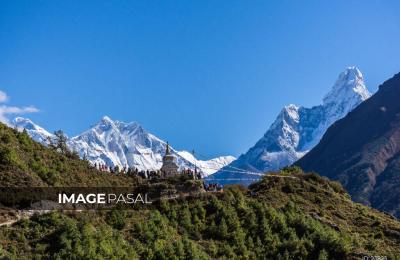
- Bright skies and dark foregrounds: Himalayan sunrises, temples against the sky.
- Mixed lighting: Tihar lamps, street lights and neon, where white balance is tricky.
- Night and astro: pulling detail from shadows without ugly noise.
- Stock and print sales: buyers expect clean, high-quality files at full resolution.
When JPEG Is Fine
- Quick social media posts and family events
- Fast action bursts when your card or buffer is limited
- When you won’t edit and like your camera’s colours
The Best of Both: RAW + JPEG
Most cameras can save both at once. Share the JPEG today and keep the RAW for your best shots. It uses more card space, so carry spare cards, especially on treks where you can’t download.
A Simple RAW Workflow
- Set your camera to RAW (or RAW + JPEG).
- Expose so the highlights aren’t clipped; you can brighten shadows later.
- Import into your editor and apply a lens profile.
- Adjust white balance, exposure, highlights, shadows and colour.
- Export a full-resolution, high-quality JPEG in sRGB for sharing and uploading.
Upload Your Best Work
Image Pasal sells full-resolution photos to buyers who need print-quality files. Edit your RAWs, export your best JPEGs and start uploading.
Frequently Asked Questions
Is RAW better than JPEG?
For quality and editing, yes. For speed and convenience, JPEG wins.
Can phones shoot RAW?
Many can, often as DNG through the pro mode or apps such as Lightroom Mobile.
Can I upload RAW files to Image Pasal?
Upload an edited, full-resolution JPEG exported from your RAW file.